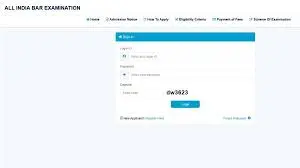
AIBE (20) Admit Card 2025 has officially become the most important update for law graduates preparing for the All India Bar Examination (AIBE XX). The Bar Council of India (BCI) will release the AIBE 20 Admit Card 2025 today, 15 November 2025, at 5 PM for all registered candidates. Aspiring advocates who completed the registration must now keep their login credentials—email ID, password, and mobile number—ready to download the hall ticket from the official website, allindiabarexamination.com.
The AIBE 20 exam is scheduled to be held on 30 November 2025, from 1 PM to 4 PM, across multiple exam centres in India. As the hall ticket is mandatory for entry into the examination hall, candidates must download and verify their admit card as soon as the link becomes active. This 700+ word detailed article covers the exam schedule, admit card download steps, important guidelines, dress code, and answer key release date.
AIBE (20) Admit Card 2025 LIVE Update
AIBE (20) Admit Card 2025 The Bar Council of India will activate the AIBE 20 XX Admit Card 2025 download link at 5 PM today. Only candidates who successfully registered for the 2025 cycle can log in and access their hall tickets.
The admit card includes all essential details such as:
- Candidate’s full name
- Roll number
- Photograph and signature
- Exam reporting time
- Exam centre address
- Important instructions
- Dress code guidelines
- Exam timing
As the AIBE serves as a qualifying exam for obtaining the Certificate of Practice (COP), downloading and securing the hall ticket is crucial.
How to Download AIBE 20 Admit Card 2025
Once the link becomes active, candidates should follow these steps:
- Visit the official AIBE website: allindiabarexamination.com
- Click on the AIBE (20) Admit Card 2025 link
- Enter registered login details (email ID, mobile number, password)
- Click Submit
- Download the hall ticket
- Print multiple copies for safety
Candidates are advised not to wait until the last moment, as server congestion may occur around peak hours.
AIBE 20 Exam Day Important Guidelines
On the exam day, candidates must follow all instructions printed on the hall ticket:
1. Reporting Time
- Reporting starts at 11:30 AM
- Candidates must arrive early to complete verification
Late arrivals will not be allowed entry.
2. Exam Timings
- Exam begins: 1:00 PM
- Exam ends: 4:00 PM
- Duration: 3 hours
3. Dress Code (as per AIBE 19 guidelines)
Candidates must follow the dress code printed on the admit card:
- Wear light, simple clothing
- Avoid full sleeves, scarves, jackets, and metallic items
- Avoid thick-soled shoes and heavy accessories
- Do not carry electronic devices
4. Items to Carry
- Printed AIBE (20) Admit Card 2025
- Valid government ID
- Two passport-size photos
- Allowed study materials (if applicable per instructions)
Electronic devices, calculators, digital watches, and Bluetooth gadgets are strictly prohibited.
AIBE 20 Exam Pattern Overview
- Mode: Offline (OMR sheet)
- Type: Objective
- Total Questions: 100 MCQs
- Duration: 3 hours
- Subjects include:
- Constitutional Law
- Evidence Act
- IPC
- CPC
- Professional Ethics
- Public Interest Litigation
- Cyber Law
- Company Law
- Criminal Procedure
- Environmental Law
Understanding the pattern helps candidates prepare effectively before the exam date.
AIBE 2025 Official Exam Schedule
Below is the detailed schedule for AIBE 20:
| Event | Schedule |
|---|---|
| AIBE Admit Card 2025 Release Date | 15-Nov-2025 |
| AIBE 2025 Exam Date | 30-Nov-2025 |
| Reporting Time | 11:30 AM |
| Exam Start Time | 1:00 PM |
| Exam End Time | 4:00 PM |
| AIBE 2025 Answer Key Release | First Week of December 2025 |
Candidates must follow the timeline strictly for a smooth examination process.
AIBE 20 Answer Key Release
The BCI will release the AIBE 20 Answer Key in the first week of December 2025. Candidates can check the provisional answer key and raise objections if they find discrepancies in certain questions. The final answer key will be released after reviewing all objections.
What to Do If You Face Login or Download Issues?
If candidates experience technical issues during hall ticket download:
- Try logging in during non-peak hours
- Use another browser (Chrome, Firefox, Edge)
- Reset password via the “Forgot Password” option
- Clear cookies/cache
- Contact BCI support if problems persist
Downloading early is always the safest option.
Read hinpi.in